Your template sensors, binary sensors, or switches vanished after an update, and the log shows Configuring the template integration under the sensor platform key is not supported, it must be configured under its own template key instead. That is the removal of the legacy platform: template syntax, which landed in Home Assistant 2026.6. Home Assistant rejects the old YAML at startup, so every entity defined that way simply never gets created.
TL;DR: Move every
sensor:/binary_sensor:/switch:block that uses- platform: templateunder a top-leveltemplate:key, renamingfriendly_nametonameandvalue_templatetostate.
Adddefault_entity_id: sensor.old_key(fulldomain.object_id, not a bare slug) to keep your old entity IDs.
check_configdoes not flag the legacy syntax in 2026.10.4, so verify by restarting and checking the entities.
Environment
I reproduced everything below in a Docker lab with these versions (from lab/RUN.md):
| item | version |
|---|---|
| Home Assistant | ghcr.io/home-assistant/home-assistant:2026.10.4 |
| Docker Engine | 29.9.2 |
| Docker Compose | v5.6.1 |
2026.10.4 was the latest stable Home Assistant release when I ran the lab (November 2026).
The lab runs Home Assistant Container with a port mapping (18123:8123) and no host networking. Each scenario is a separate configuration.yaml. A repro.sh script copies the scenario into a fresh /config, starts the container, reads the log and the recorder database, and tears everything down again.
Reproduce: legacy platform: template config in 2026.10.4
This is the kind of configuration many setups have carried since before the template: integration existed. Two input_boolean helpers stand in for a real door contact and a real porch relay, so nothing here needs hardware.
# Before (fails): legacy platform syntax
sensor:
  - platform: template
    sensors:
      front_door_status:
        friendly_name: "Front door"
        value_template: >-
          {{ 'open' if is_state('input_boolean.front_door', 'on') else 'closed' }}

binary_sensor:
  - platform: template
    sensors:
      front_door_open:
        friendly_name: "Front door contact"
        device_class: door
        value_template: "{{ is_state('input_boolean.front_door', 'on') }}"
The switch uses the same pattern with a switches: map and turn_on/turn_off actions:
switch:
  - platform: template
    switches:
      porch_light:
        friendly_name: "Porch lamp"
        value_template: "{{ is_state('input_boolean.porch_power', 'on') }}"
        turn_on:
          action: input_boolean.turn_on
          target:
            entity_id: input_boolean.porch_power
        turn_off:
          action: input_boolean.turn_off
          target:
            entity_id: input_boolean.porch_power
The first thing most people do after an update is run the configuration check. On 2026.10.4 it reports nothing for this file and exits with code 0:
$ ./repro.sh check legacy
### scenario: legacy
Testing configuration at /config
### check_config exit code: 0
Starting Home Assistant tells a different story. The log has one ERROR line per platform key:
2026-11-02 10:02:12.301 ERROR (MainThread) [homeassistant.components.template.helpers] Configuring the template integration under the binary_sensor platform key is not supported, it must be configured under its own template key instead
2026-11-02 10:02:12.302 ERROR (MainThread) [homeassistant.components.template.helpers] Configuring the template integration under the sensor platform key is not supported, it must be configured under its own template key instead
2026-11-02 10:02:12.302 ERROR (MainThread) [homeassistant.components.template.helpers] Configuring the template integration under the switch platform key is not supported, it must be configured under its own template key instead
The recorder database confirms the result. Only the two helpers have states. sensor.front_door_status, binary_sensor.front_door_open, and switch.porch_light don’t exist:
### entities recorded (latest state)
input_boolean.front_door                 off
input_boolean.porch_power                off
...
### repair issues in .storage/repairs.issue_registry
"issue_id": "platform_integration_no_support_binary_sensor_template"
"issue_id": "platform_integration_no_support_sensor_template"
"issue_id": "platform_integration_no_support_switch_template"
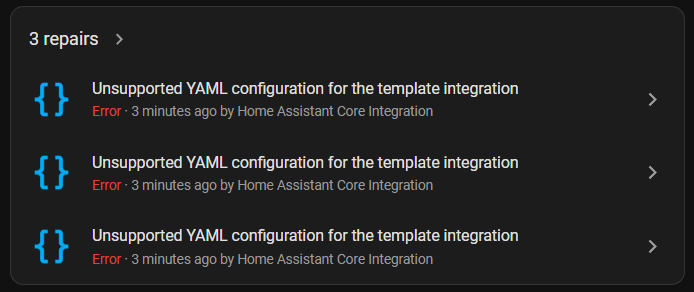
Home Assistant also raises one repair per platform. The English title for this repair, taken from the 2026.10.4 translation file, is Unsupported YAML configuration for the {integration_domain} integration, which renders as "Unsupported YAML configuration for the template integration".
Cause: 2026.6 removed the legacy template platform syntax
The 2026.6 release notes list this under Backward-incompatible changes > Template entities: the legacy template platform syntax under the individual platform keys was removed after a 6-month deprecation that started in 2025.12. It affects alarm_control_panel, binary_sensor, cover, fan, light, lock, sensor, switch, vacuum, and weather.
The template integration docs now say the same in one line: the older format with platform: template under a platform key isn’t supported anymore, and Home Assistant shows a repair if your configuration still uses it.
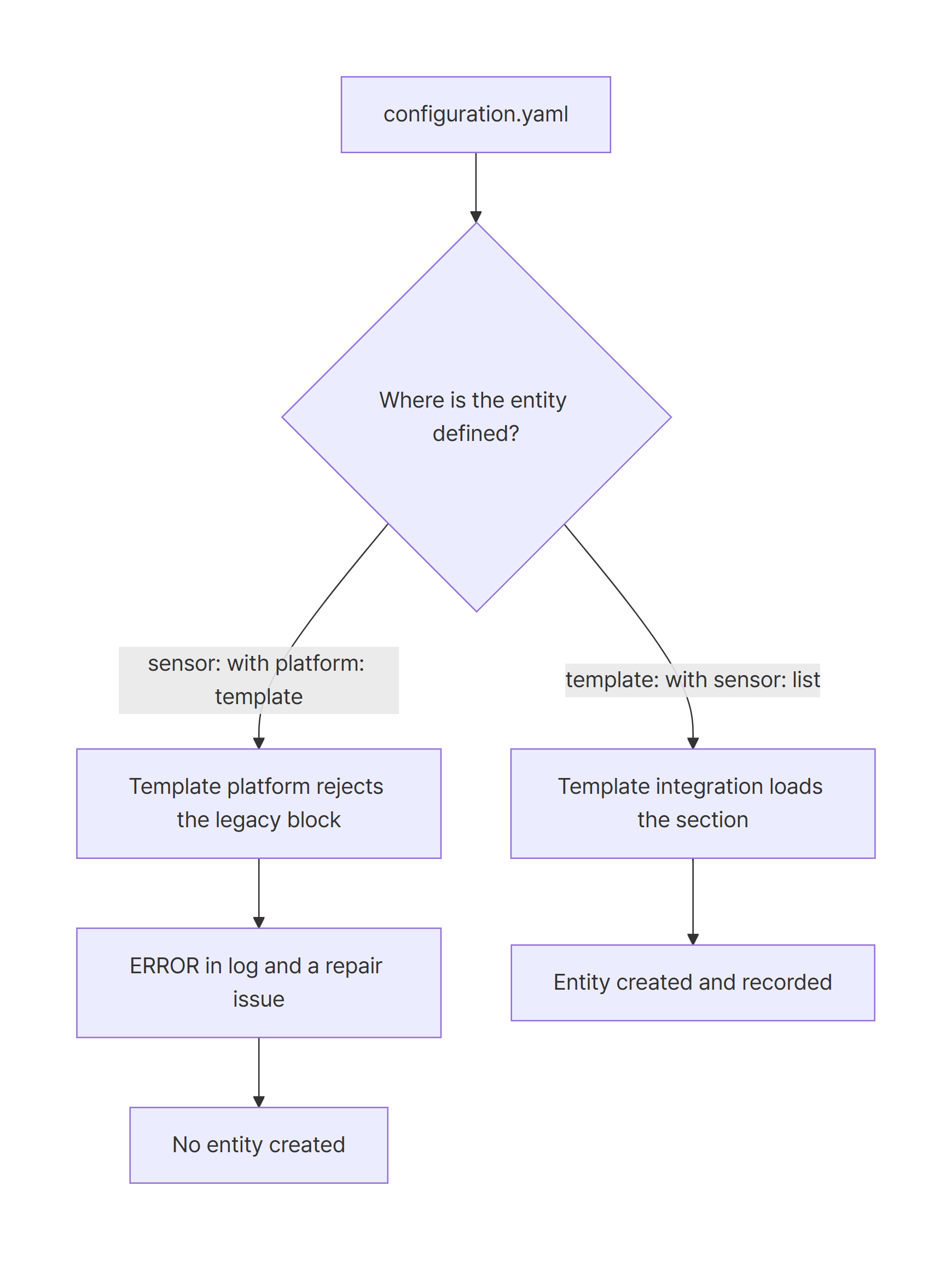
What makes this upgrade painful is the gap between validation and setup. In the lab, check_config accepted the legacy file without a single message. The error comes from homeassistant.components.template.helpers only when the platform is set up at startup, and it is quiet: Home Assistant keeps running, logs one line, and raises a repair.
Fix: migrate to the modern template: syntax
Each legacy entity becomes one list item under a platform key inside template:. The old map key (front_door_status) disappears, so you have to decide what the entity ID should be. Here are the option names that changed between my legacy and working lab configs:
legacy (platform: template) |
modern (template:) |
|---|---|
sensors: / switches: map key |
default_entity_id: sensor.<key> |
friendly_name |
name |
value_template |
state |
device_class, turn_on, turn_off |
unchanged |
This is the migrated file. One template: block holds all three platforms, and each entity keeps its old ID through default_entity_id:
# After (works): modern template: syntax, old entity IDs kept
template:
  - sensor:
      - name: "Front door"
        default_entity_id: sensor.front_door_status
        state: >-
          {{ 'open' if is_state('input_boolean.front_door', 'on') else 'closed' }}
    binary_sensor:
      - name: "Front door contact"
        default_entity_id: binary_sensor.front_door_open
        device_class: door
        state: "{{ is_state('input_boolean.front_door', 'on') }}"
    switch:
      - name: "Porch lamp"
        default_entity_id: switch.porch_light
        state: "{{ is_state('input_boolean.porch_power', 'on') }}"
        turn_on:
          action: input_boolean.turn_on
          target:
            entity_id: input_boolean.porch_power
        turn_off:
          action: input_boolean.turn_off
          target:
            entity_id: input_boolean.porch_power
The key lines are the three default_entity_id values. They point to the IDs the legacy keys used to produce, so dashboards and automations keep working without edits. Delete the old sensor:, binary_sensor:, and switch: blocks completely. If they hold other platforms too, delete only the platform: template items.
The check passes:
$ ./repro.sh check migrated
### scenario: migrated
...
Testing configuration at /config
### check_config exit code: 0
Verify the migrated template entities after restart
Because check_config also passed for the broken file, a clean check proves very little here. Restart and look at the entities. In the lab run, the log has no ERROR lines, all three entities exist with their old IDs, and no repair issues remain:
### ERROR lines in home-assistant.log
(none)
### entities recorded (latest state)
binary_sensor.front_door_open            off
input_boolean.front_door                 off
input_boolean.porch_power                off
sensor.front_door_status                 closed
switch.porch_light                       off
...
### repair issues in .storage/repairs.issue_registry
(none)
In your own instance, check Settings > Repairs for leftover template repairs, and search Settings > Devices & services > Entities for the old IDs.
Pitfalls: entity ID changes and default_entity_id errors
Without default_entity_id, the entity IDs change
If you only rename friendly_name to name and drop the old key, Home Assistant generates the ID from name. That works when the name matches the old key. In my lab the names differ, and every ID changed:
### entities recorded (latest state)
binary_sensor.front_door_contact         off
input_boolean.front_door                 off
input_boolean.porch_power                off
sensor.front_door                        closed
switch.porch_lamp                        off
There is no error in the log for this case, which is why it’s easy to miss. Anything that referenced sensor.front_door_status now points at nothing.
The docs add one more detail. With a unique_id, default_entity_id is used only when the entity is first added. Without a unique_id, the entity ID updates on restart or reload if the ID is available, and gets a number suffix if it is already taken.
default_entity_id needs the full domain.object_id
Writing just the old key as default_entity_id fails validation. This scenario’s config:
# Before (fails): default_entity_id with a bare slug
template:
  - sensor:
      - name: "Front door"
        default_entity_id: front_door_status
        state: >-
          {{ 'open' if is_state('input_boolean.front_door', 'on') else 'closed' }}
./repro.sh check migrated-bare-slug prints:
ERROR:homeassistant.config:Invalid config for 'template' at configuration.yaml, line 20: Entity ID front_door_status is an invalid entity ID for dictionary value 'sensor->0->default_entity_id', got 'front_door_status'
The template docs say the domain must match the platform, for example sensor. for a sensor. Use sensor.front_door_status, not front_door_status. The same error was reported for 2026.9.1 in a GitHub issue about legacy template configs.
Pasting the old block under template: doesn’t work
Moving the legacy block under template: without renaming anything produces three errors. ./repro.sh check pasted-under-template prints:
ERROR:homeassistant.config:Invalid config for 'template' at configuration.yaml, line 19: 'platform' is an invalid option for 'template', check: sensor->0->platform
Invalid config for 'template' at configuration.yaml, line 19: required key 'state' not provided
Invalid config for 'template' at configuration.yaml, line 20: 'sensors' is an invalid option for 'template', check: sensor->0->sensors
Remove platform: template, flatten the sensors: map into a list, and rename value_template to state. The table in the Fix section covers all of these.
Don’t trust the check_config exit code
In 2026.10.4, check_config exited with code 0 in every lab run, including the two runs that printed Invalid config for 'template'. If you run it in CI or a pre-update script, grep its output for Invalid config instead of relying on the exit code.
Summary
- Home Assistant 2026.6 removed the
platform: templatesyntax undersensor:,binary_sensor:,switch:, and seven other platform keys. - Affected entities are not created. The only signals are an
ERRORlog line per platform and a repair. In 2026.10.4,check_configdoes not catch the legacy syntax. - Migrate each entity to a list item under
template:, renamingfriendly_nametonameandvalue_templatetostate. - Set
default_entity_idto the full old ID (sensor.front_door_status) to keep automations and dashboards working. - After migrating, restart and check the entity list and Settings > Repairs, not just
check_config.